
Product · PO tracking
PO Tracker for Freight Forwarders: Purchase Order Tracking on the Shipment
Not a procurement tool for buying office chairs. How your customer’s purchase order is tracked through a freight platform — as a shipping order that becomes house shipments, as a receipt at the dock, as a PO number that rides the shipment and prints on the invoice — and what a PO tracker for a logistics provider honestly is and is not.
Which kind of PO tracker you need. “PO tracker” means two different things. If your company raises purchase orders to buy goods and wants approval routing and spend control, you need procurement software — and this is the wrong page. If your customers send you their purchase orders and you are the forwarder, NVOCC or 3PL who has to move and warehouse what those POs describe, you need the PO tracking that lives inside a freight platform. Linbis is the second kind. There is no separate “purchase order module” to buy and reconcile against: the customer’s order is a shipping order in the same system as the consolidation, the warehouse and the invoice, and the PO number rides every record made from it.
How a customer’s PO moves through Linbis
- It arrives. By email — where the Linbis copilot reads the message and the attached PO, lifts the PO number, parties, commodities, weights and dates onto an approval card with the evidence beside each field — or as a booking request the customer typed into the portal, or by file import, or typed once at the desk. Nothing is written to your operating data until a person approves.
- It becomes a shipping order. The order carries its commodities, its parties, its dates and the customer’s PO number as a reference. It is open, then ready, then converted — and if it ships in parts it shows partially converted until the last piece leaves. “Which orders are still open for this customer?” is a list, not a spreadsheet.
- It becomes shipments — one, several, or hundreds at once. A shipping order converts to a house shipment in one click; up to 500 orders imported from a spreadsheet convert into a consolidation in one action, one house per order, each with its own file number, leg plan and copied charges. The PO number goes with every house and is indexed, so the desk can search by it.
- Cargo arrives against it. At the dock, the scanning app receives by barcode and carries the PO number, the lot number and the condition on the receipt lines — good, damaged, wet, crushed, open, missing label, repackaged — and the file records manifested pieces, weight and volume against what actually arrived. Over-shipments and shortages are recorded where they will be billed and disputed, rather than reconciled at month-end. The app keeps working when the Wi-Fi drops and replays in order.
- It closes on the invoice. The invoice is issued from the charge lines on the file and carries the PO number on the printed document — which is what gets it paid by the customer’s accounts-payable desk without a query.
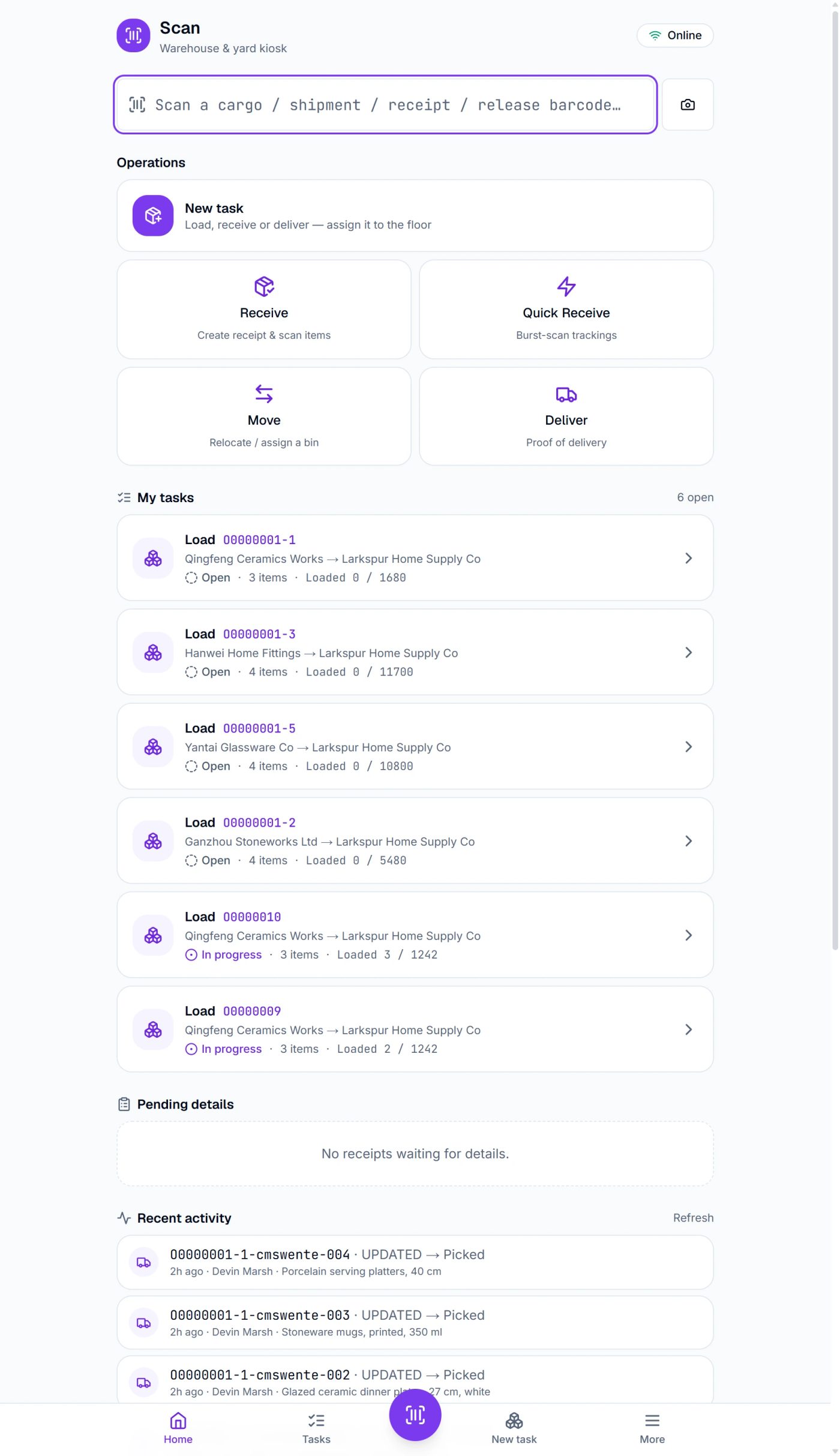
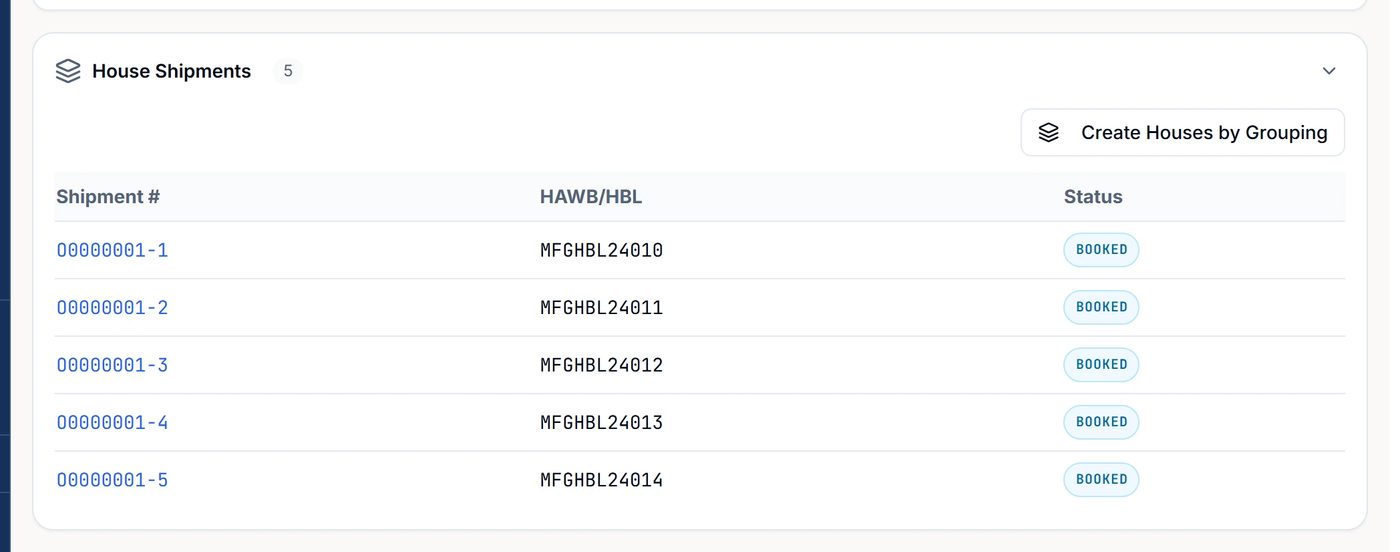
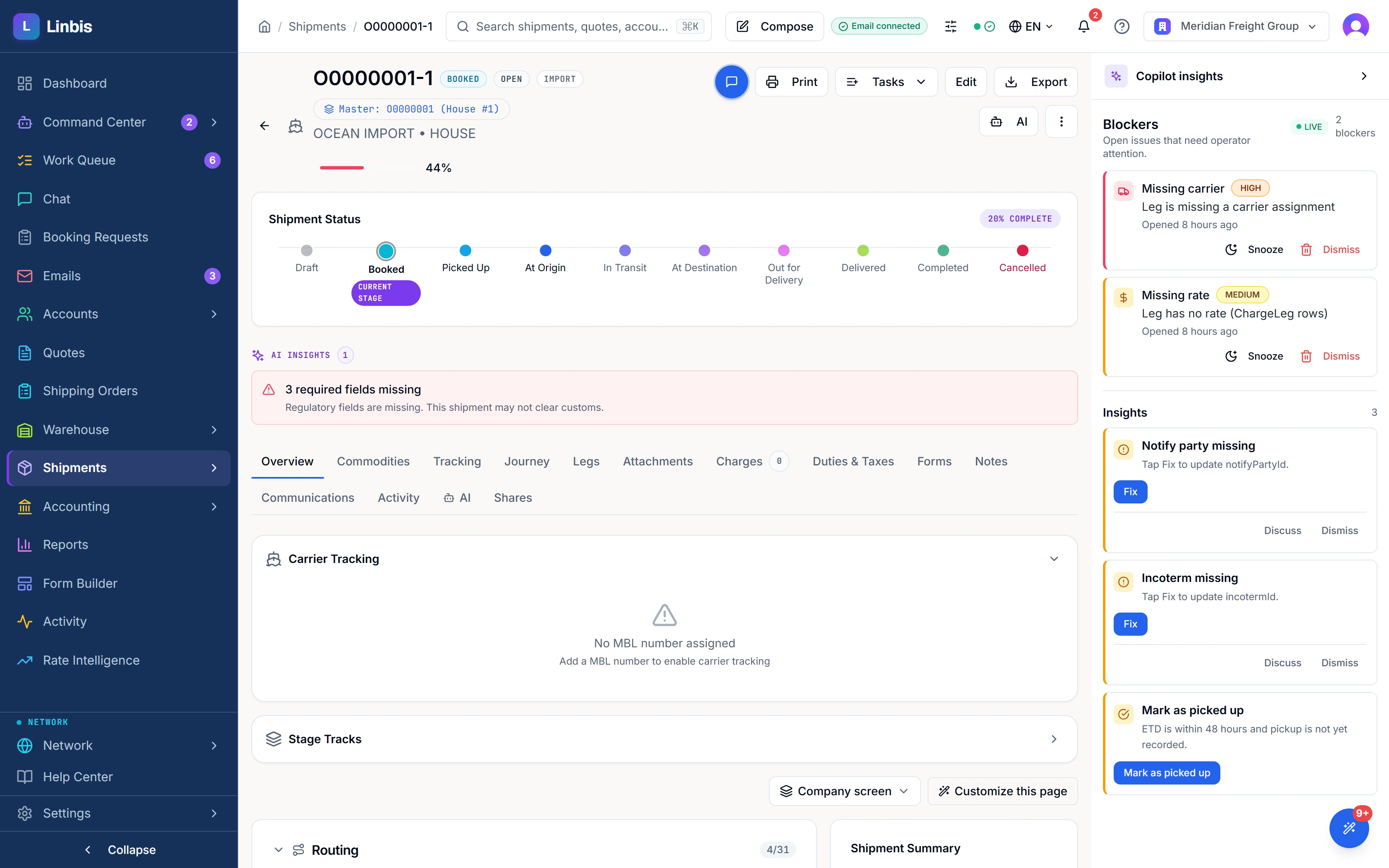
What the desk sees, what the customer sees
Your desk sees the shipping orders by status — open, ready, converted, partially converted — and every shipment and invoice that carries a given PO number, because the number is a searchable field on the shipment and a column on the invoice list. The Command Center shows the PO number on the active file next to the customer reference. Every row opens the file behind it.
Your customer sees the same truth in the customer portal: their shipping orders, their shipments and tracking, their warehouse inventory and their documents, in any of eight languages — without emailing your desk to ask. That is the difference between a tracker and a report: the report is a month old the day it is right; the portal is the record.
Freight PO tracker vs procurement software
This is the comparison that saves a buyer a wrong purchase, and search results rarely make it.
| Procurement / spend software | Linbis — PO tracking for logistics providers | |
|---|---|---|
| Whose PO is it | Yours — you are the buyer | Your customer’s — you move what it describes |
| Central object | The requisition and the approval | The shipping order that becomes the shipment, carrying the PO number |
| Core questions | Who approved it, what did we spend | Which orders are open, which have shipped, what arrived short or damaged, which invoice carries which PO |
| Receiving at the dock | Not a concept | Barcode receipt with PO number, lot and condition per line; manifested vs received on the file |
| PO on the invoice | No | Printed on the invoice; searchable on the invoice list |
| Customer visibility | Internal only | Customer portal shows their orders, shipments, inventory and documents |
| Consolidation | Not a concept | Up to 500 orders per import → houses in one action; an order can convert in parts |
| Price | Per seat, quote-based | Published: $150 / month incl. 1 user · $299 / month incl. 3 users · Enterprise by quote |
Procurement-suite characteristics are stated generically; vendors differ. The Linbis column describes the shipped product and the published plans as of the date above.
Three situations it was built for
The importer with forty open POs and one question
“Where is PO 4471?” used to mean a search through emails and a call to the origin agent. Now it is a search: the shipping order shows converted on the 12th, the house sits on the consolidation departing the 19th, the container milestone from the carrier says loaded, the ETA is the 4th, and the receipt at origin shows two pieces short with the condition recorded. The customer can read that themselves in the portal.
The 3PL receiving against POs it did not raise
Cargo lands at the warehouse with a supplier’s packing list. The scan app receives it by barcode with the customer’s PO number and the condition on each line; the file shows manifested against received; storage billing runs from a per-run snapshot; and the release cannot be approved by the person who created it. Discrepancies are on the line where they will be billed and disputed — not in a month-end reconciliation.
The consolidator with one master and many customers’ POs
Fifteen orders from six customers on one ocean consolidation, converted in one action. Each customer sees only their houses in the portal; the desk sees the master. When the box is late, update the ETA once on the master and every house under it shows the new date.
What the copilot does — and does not — do with a PO
It reads the email and the attached document, proposes the record with each field — PO number included — tagged to its source, flags what it could not resolve, and drafts the acknowledgement. Then it stops. Nothing is written to operating data until a person approves. On a document that becomes a customs filing and an invoice, that boundary is the feature — and when you are ready, you decide per action category how much it may do alone, inside an envelope you define.
What it is not — read before you buy
Linbis does not keep a separate purchase-order ledger with per-line fulfilment quantities, and it does not compute an “at-risk” flag against a required date. The order object is the shipping order; the PO number is a reference that rides the order, the shipment, the receipt lines and the invoice. If your operation needs line-level PO fulfilment accounting — ordered 1,000, shipped 400, remaining 600, per SKU — that is a procurement or ERP function, and you should say so in the trial rather than discover it later. If what you need is to know where a customer’s PO is, what arrived against it, and which invoice carries it, that is what this page describes, and it is on every plan.
What it costs
PO tracking is part of the platform, not an add-on. Plans are published on the pricing page: Startup at $150 a month including one user; Premium at $299 a month including three users, adding the warehouse module (receiving with PO numbers and conditions on the receipt lives here) and data-migration assistance; Enterprise by quote. Every plan starts with a free trial that does not ask for a card.
Honest fit note: if you are a manufacturer or retailer buying goods and you need approval workflows and spend analytics, a procurement suite will serve you better. Linbis tracks the purchase orders of the people whose freight you move.
Questions forwarders ask
Can a PO be imported from the customer’s system?
Yes — as a file import, as an email or attachment read by the copilot and approved by a person, or as a booking request the customer submits in the portal, which arrives already assigned.
Does one shipment handle many POs?
One shipping order carries one PO number and converts to one house or to several; many orders convert into one consolidation in one action. Search by PO number finds every shipment and invoice carrying it.
Can my customer see their own POs?
The customer portal shows their shipping orders, shipments, inventory and documents. No login to your desk, no phone call.
Does the invoice show the PO number?
Yes — it is a field on the invoice, a column on the invoice list, and it prints on the invoice document.
Is this a procurement tool?
No. It does not route purchase approvals, analyse spend or keep per-line fulfilment quantities. It tracks customers’ purchase orders through the freight and warehouse operations you run for them.
See the price before the demo.
Plans are published. The trial is free and does not ask for a card. Start with one live shipment beside your current system.