 EN/ES
Request a Demo
Log in
Start Free Trial →
EN/ES
Request a Demo
Log in
Start Free Trial →
EN/ES
Request a Demo
Log in
Start Free Trial →
EN/ES
Request a Demo
Log in
Start Free Trial →
Built for freight forwarders & NVOCCs
Open a shipment and it already knows what’s missing, what just arrived, and what to send next. Quotes, documents, warehouse and invoices on one record — and nothing goes out until you press Send.
THIS IS THE LIVE PRODUCT · REAL RECORDS · A GUIDED TAKE, NOT A MOCK-UP
↓ See it end to endWin it, move it, get paid — the whole demo in one scroll.
Hi — we need 2×40HC from Qingdao to Oakland for stainless kitchen equipment, about 18,400 kg / 124 CBM, FOB terms. Packing list attached. — Dana
PACKING-LIST.PDF CURRENT STAGE

 INVOICED
INVOICED
INVOICED
INVOICED
INVOICED
INVOICED
INVOICED
INVOICED
INVOICED
Eleven screens, one record, zero retyping.
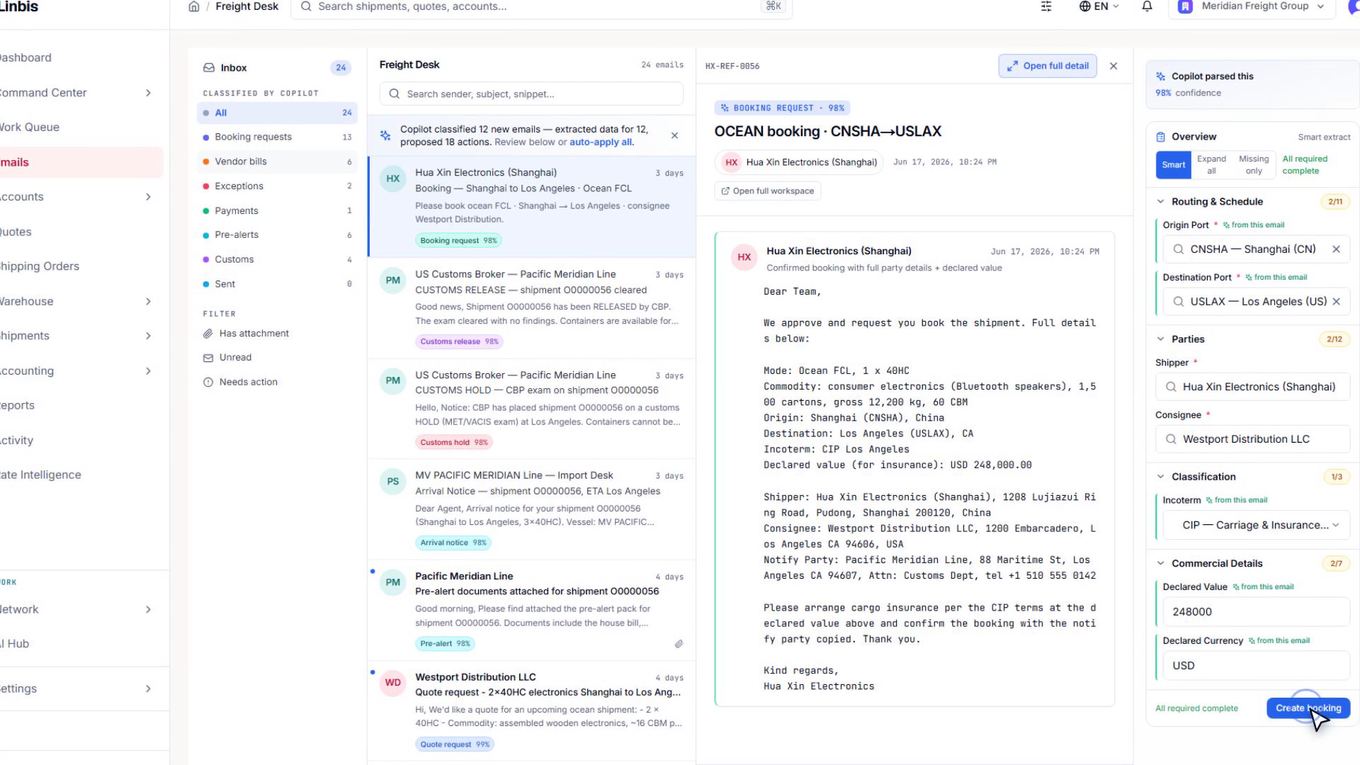
Dana Whitfield at Harborlight Provisions emails in. Before anyone opens it, Linbis has already read it: quote request, 97% confident.
Ports, equipment, weights lift off the message — and the attachment — into quote fields, each tagged with where it came from. Unpriced lines get flagged before you ever open a form.
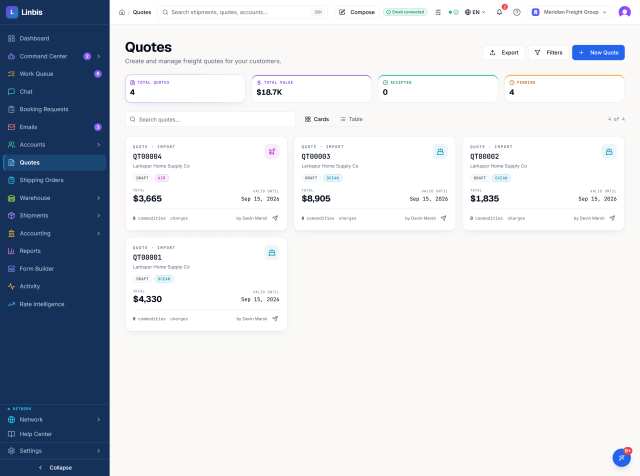
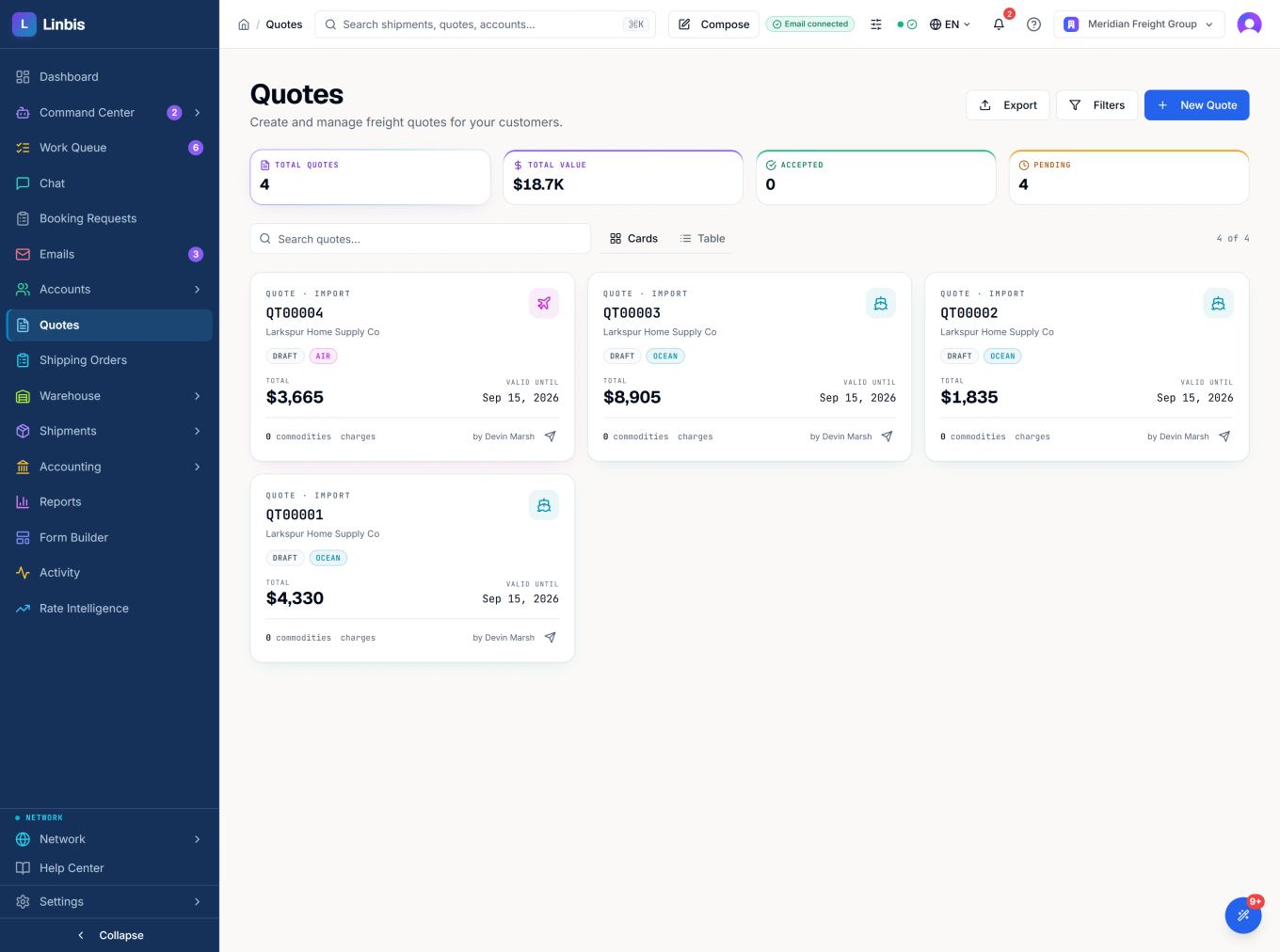
The quote document builds itself beside the reply. Review the lines, press Save & send. Dana gets QT-0050 in the same thread she started.
One reply, one convert. QT-0050 becomes ocean file O0000078 with every field carried over. Nothing is retyped.
That’s the real status strip. Status advances on real events — arrival notice in, A/N emailed, freight released. You define the flow; the file walks it.
The arrival notice lands in the desk, files itself against O0000078, and clears a blocker off the copilot’s list — the rail beside it is the real one.
Container OOCU7210078 is assigned. One press books the drayage appointment — carrier, time, terminal, done.
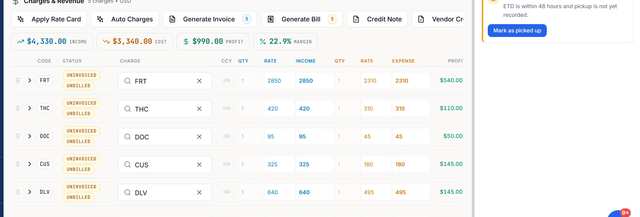
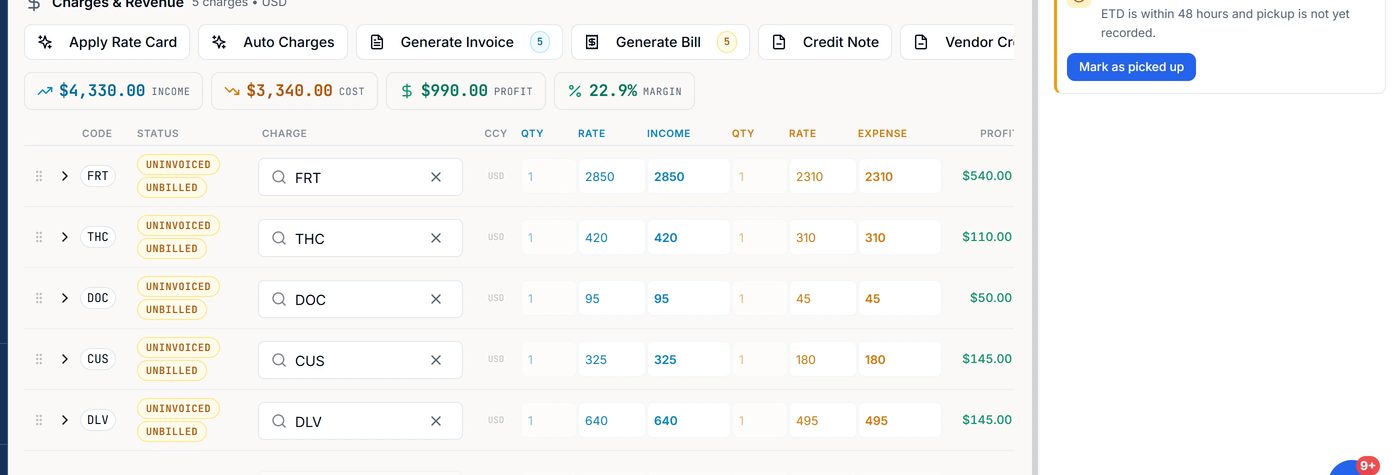
Income, cost, profit and margin sit on the file all along — this is the real charges tab. Generate Invoice flips every line from uninvoiced to invoiced in one press.
INV-000049 is open in AR and synced to QuickBooks before you switch tabs. Aging stays current on its own.
The carrier’s invoice arrives by email, maps to O0000078 — and gets caught billing $110 over the expected cost.
The overnight brief: what’s moving, what’s arriving, what needs a decision — with the file one click away.
Every window you just watched is still open, still live, still the same record. That’s the desk Linbis hands you every morning.
Ten proofs · two acts · zero mock-ups
Linbis is freight forwarding software for freight forwarders and NVOCCs. Quoting, master and house consolidation, warehouse, documents and invoicing live on one record — the AI copilot prepares the work, and a human approves it.
Every claim below was checked on screen before we wrote it. The numbers in the copy are the numbers in the frames.
Act I · The file does the paperwork
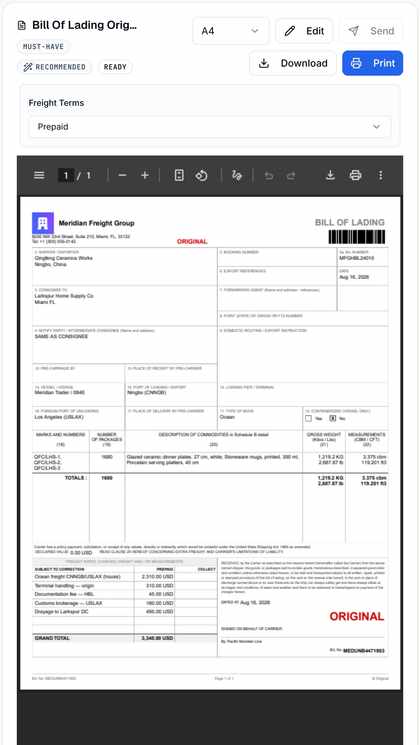
The Bill of Lading builds itself from the record: your letterhead from settings, Meridian Trader / 084E from the leg, 3.375 cbm from three commodity lines, a 3,340.00 USD total from five charge lines. Change any input and the paper updates. Forty-six documents for ocean; thirty-four more for air.
Change the record, and the paper changes with it.
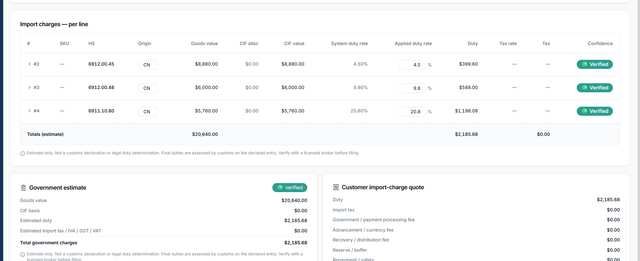
Three ceramic HS codes — 4.50%, 9.80% and 20.80% — come to $2,185.68 of duty on $20,640 of goods, every row checked. The CIF basis is stated outright, and duty lines can be marked advisory-only, so they inform you without landing on the customer’s invoice.
A blended rate would be wrong by hundreds.
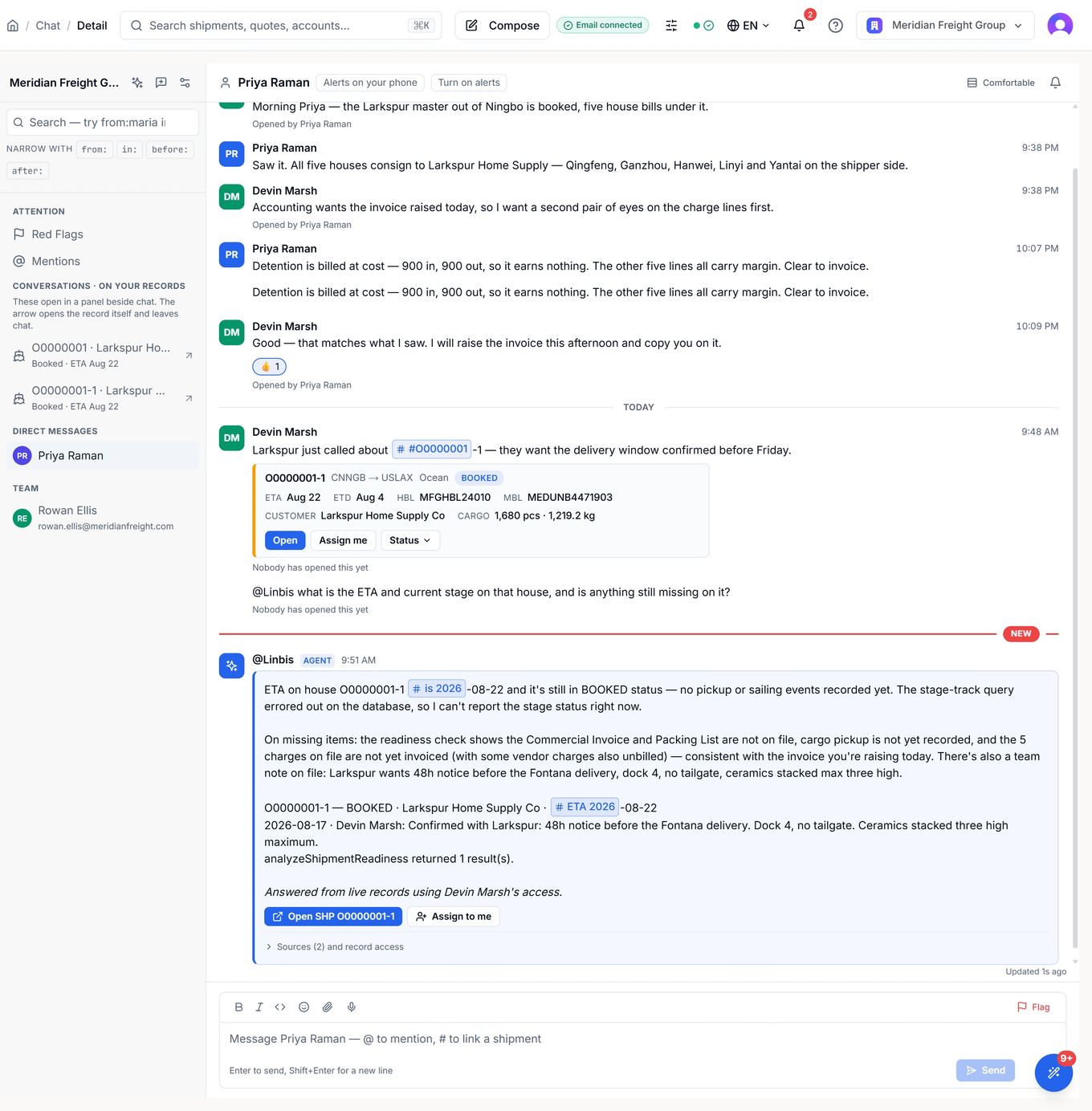
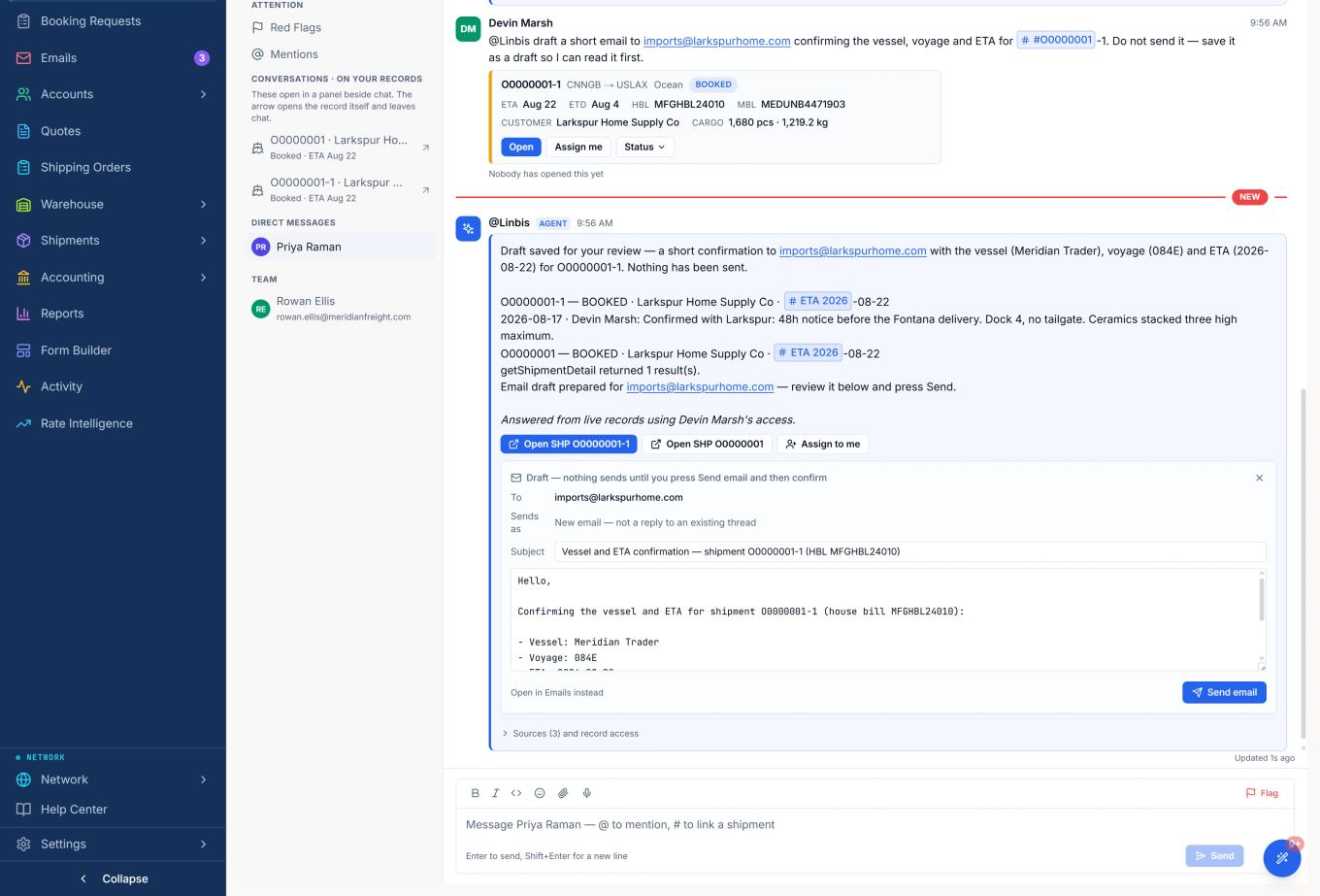
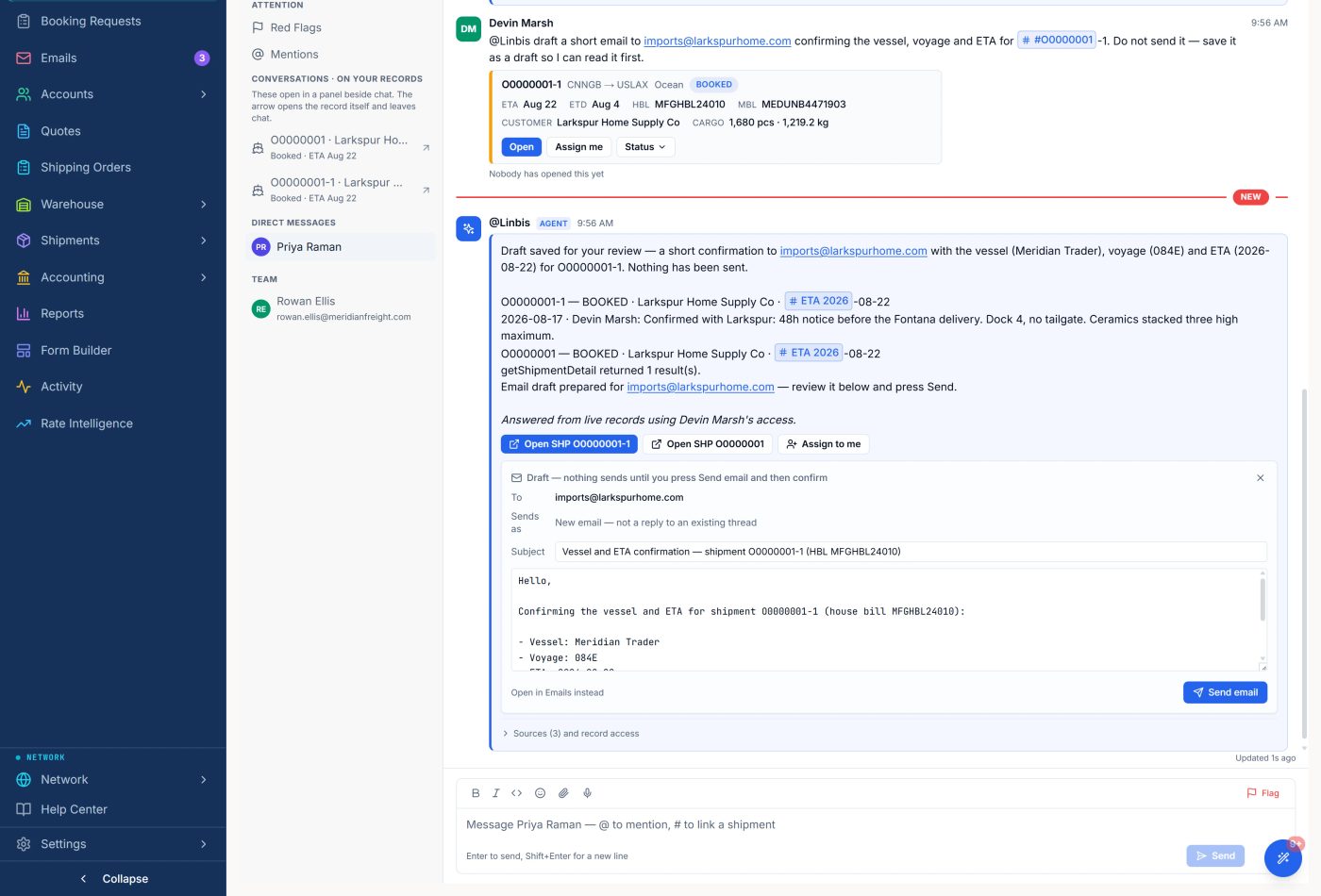
You ask in the thread. 7.7 seconds later there’s a real answer — with the sources it read, the shipment it means, and the customer email already drafted for you.
Nothing sends until a human presses Send and confirms.
Type #O0000001-1 in the middle of a message and the shipment opens right there: both bills, ETA and ETD, the customer, the cargo, and three actions you can take on the spot.
Not a link. The file arrives.
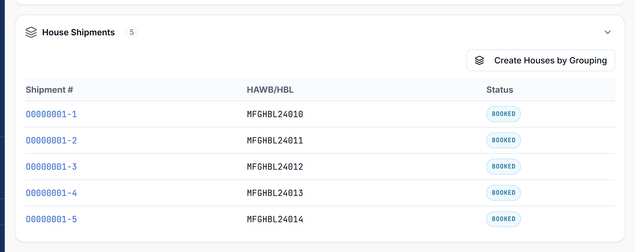
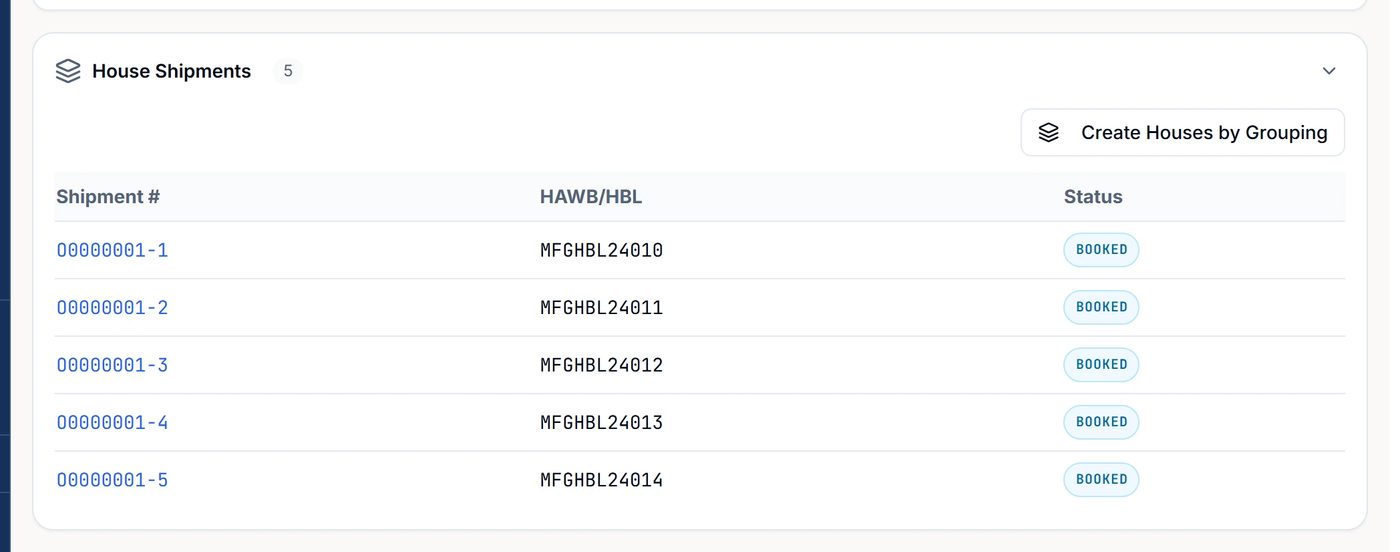
MFGHBL24010 through 24014 — five house bills built in one grouping action. Change the vessel on the master and every house leg follows it.
Each house carries its own bill. The master carries them all.
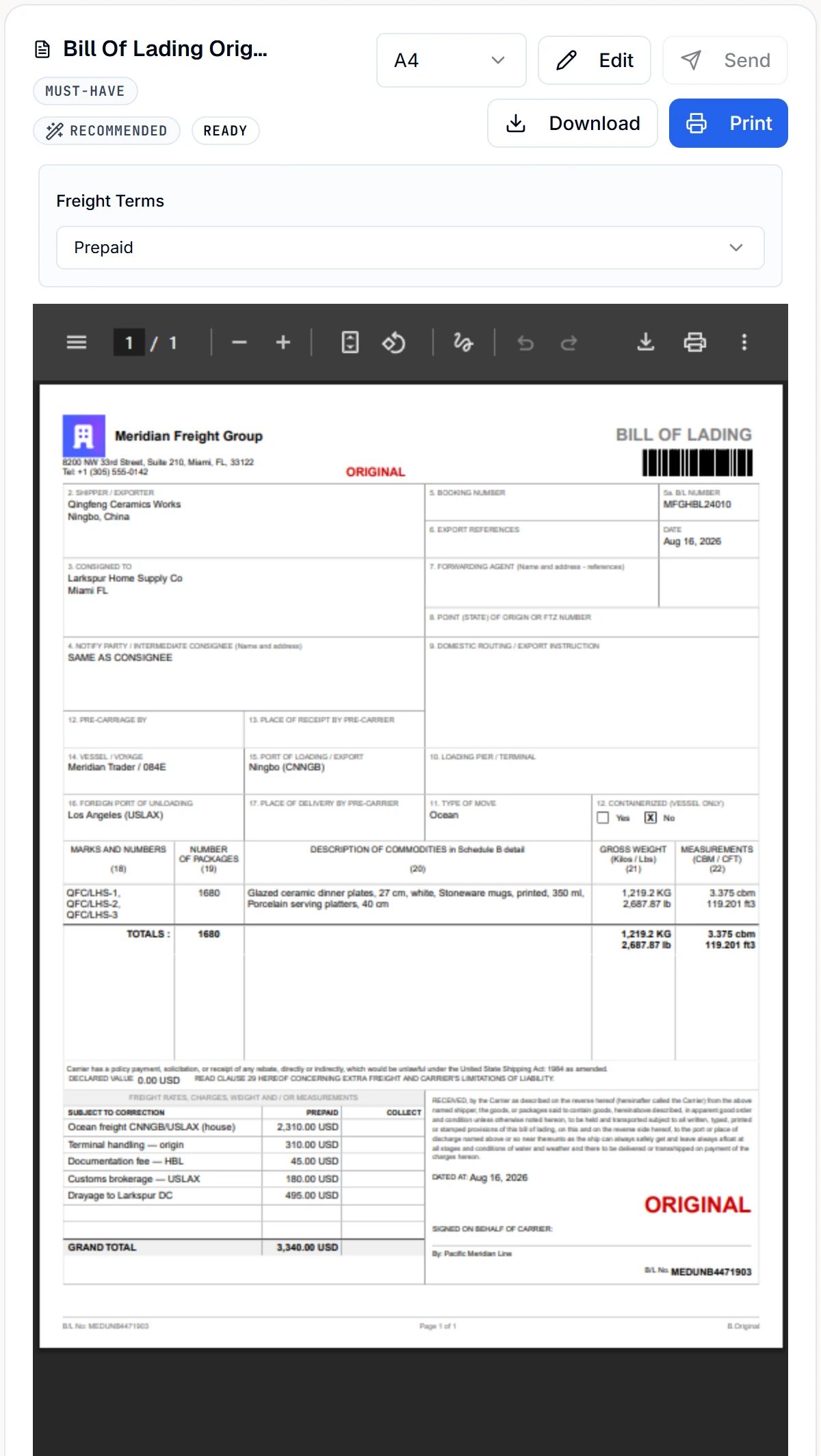 46 documentsviews of one record46 documents · one record
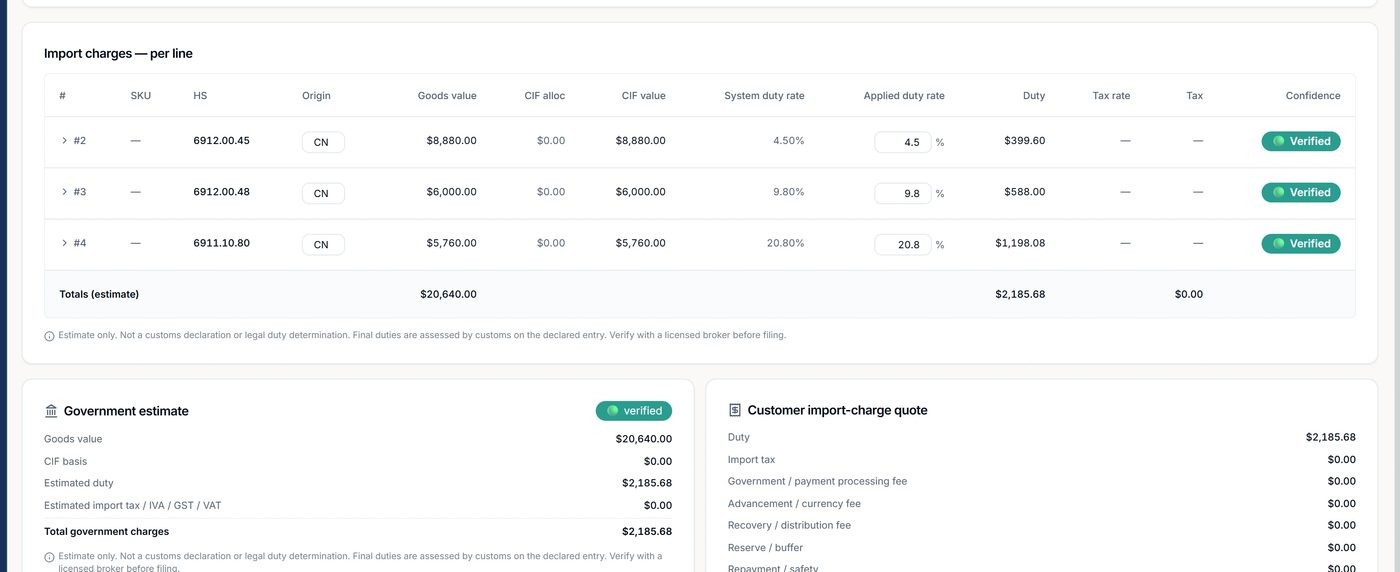 $2,185.68estimated duty
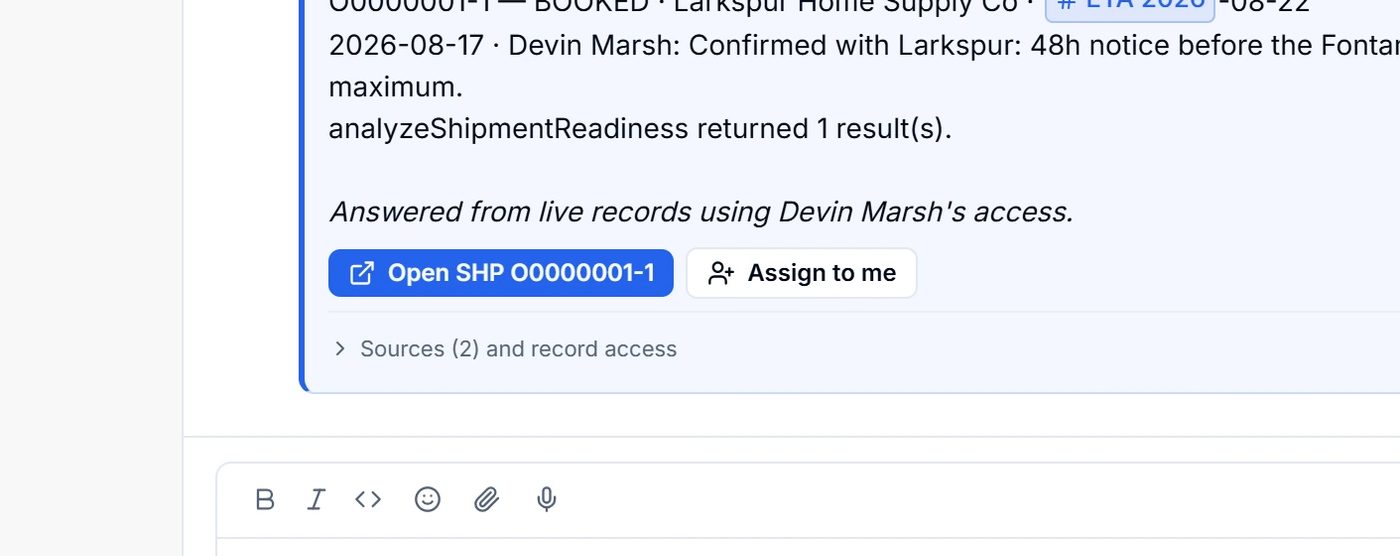 7.7sto sourced answer
Five proofs down. The warehouse and the money are next.
Act II · The floor and the money
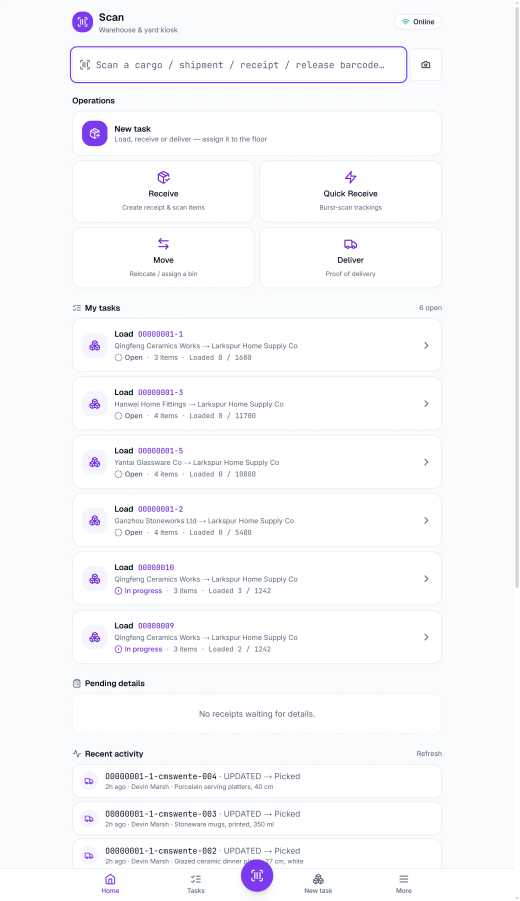
Scan a cargo, a shipment, a receipt or a release into the same field — the gun doesn’t have to know which; the record does. Six load tasks show loaded against total, part-loaded containers included.
Audit runs down to the individual carton.
Buy and sell sit on one row, margin moving as you type: 19.9% on the master next to 22.9% on the house. A losing consolidation shows up today, not at month-end. The same charge engine runs the demurrage clock.
And it flows through to the printed bill.
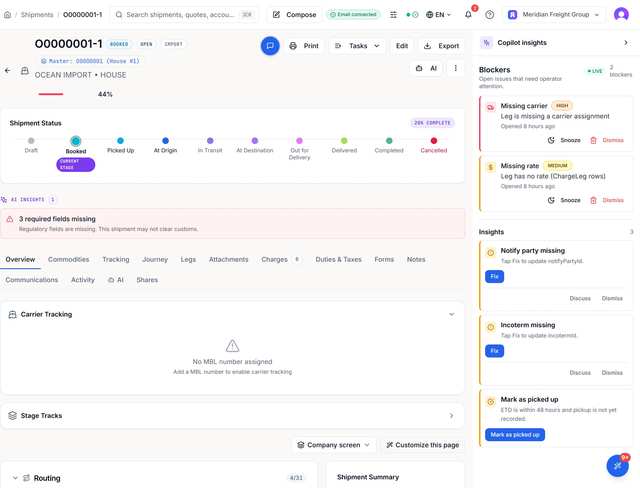
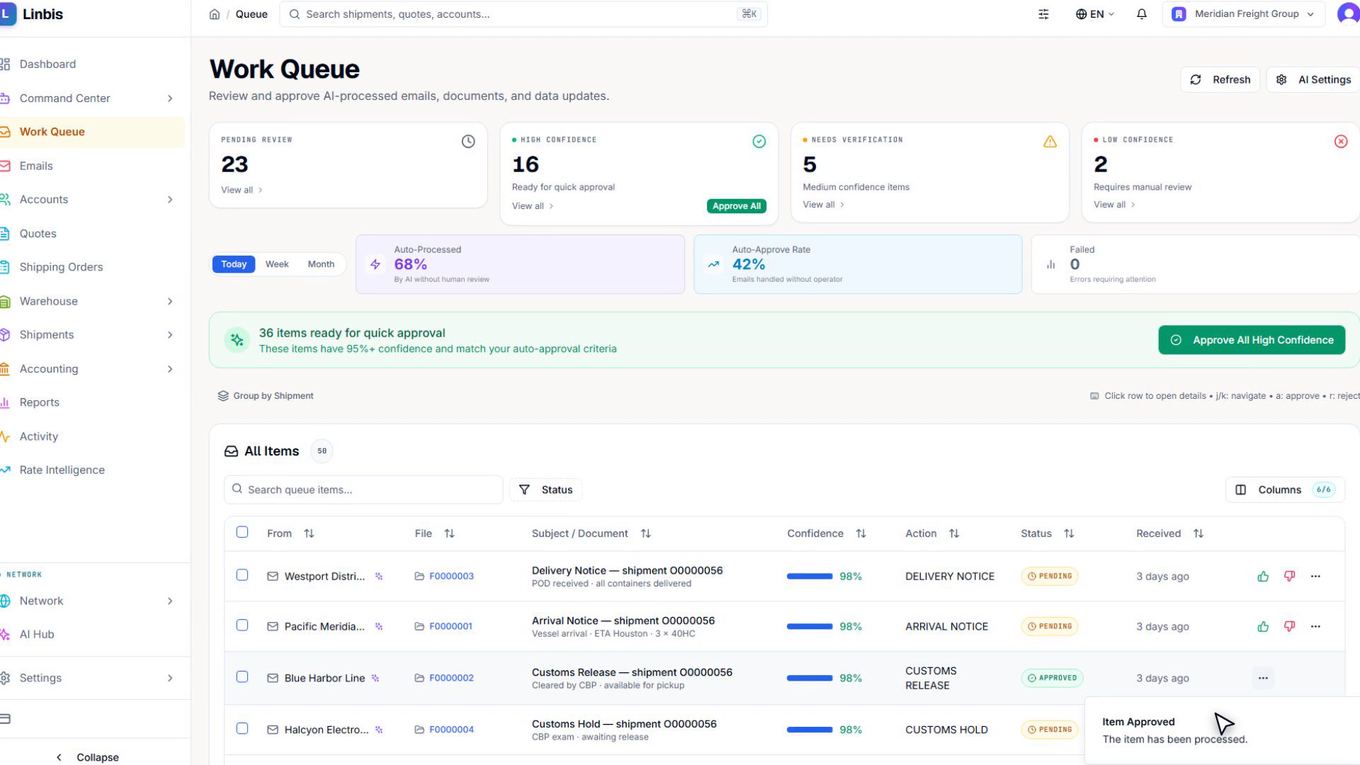
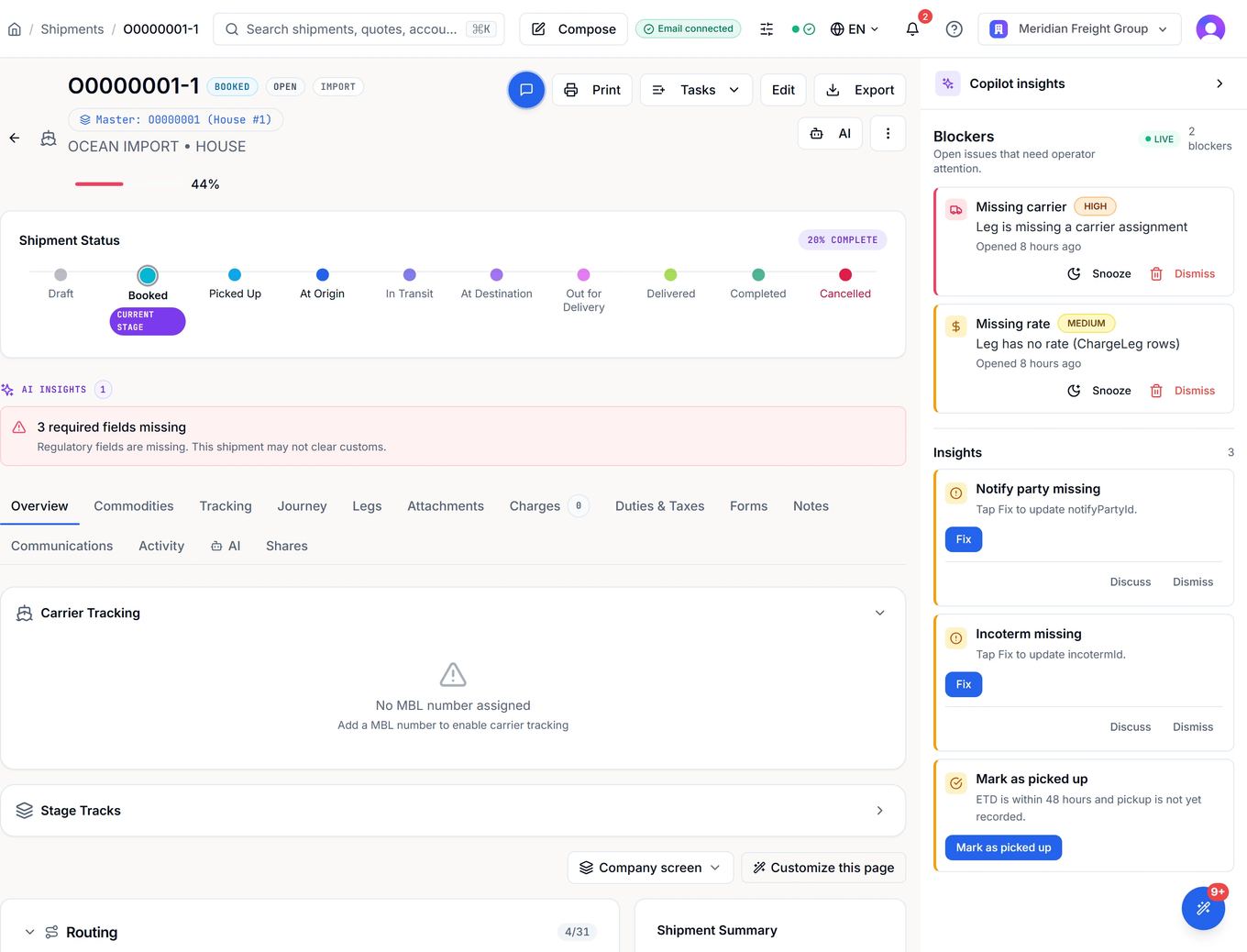
It’s always on, with a live count of what’s blocking the file and a HIGH or MEDIUM flag on every item. What it never has: a way to act without you.
Every card ends in a button a person presses.
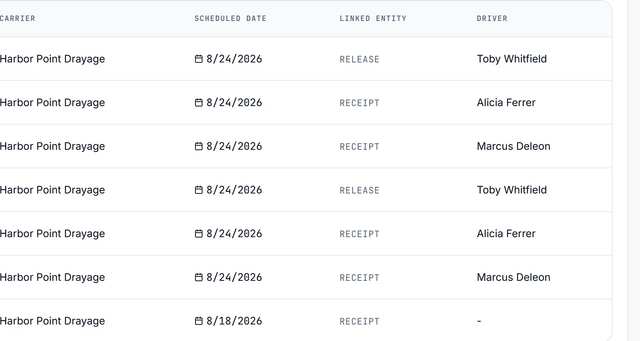
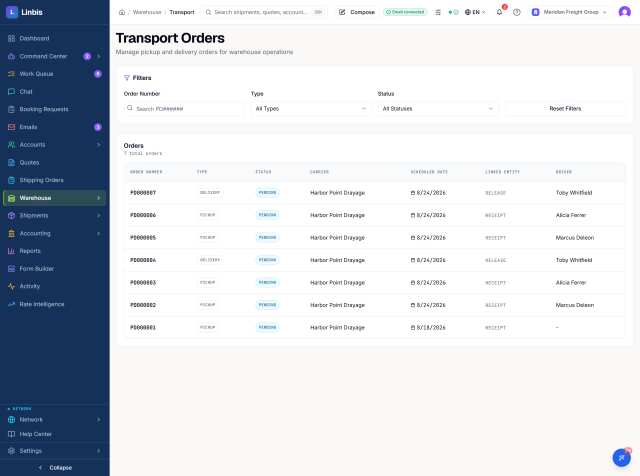
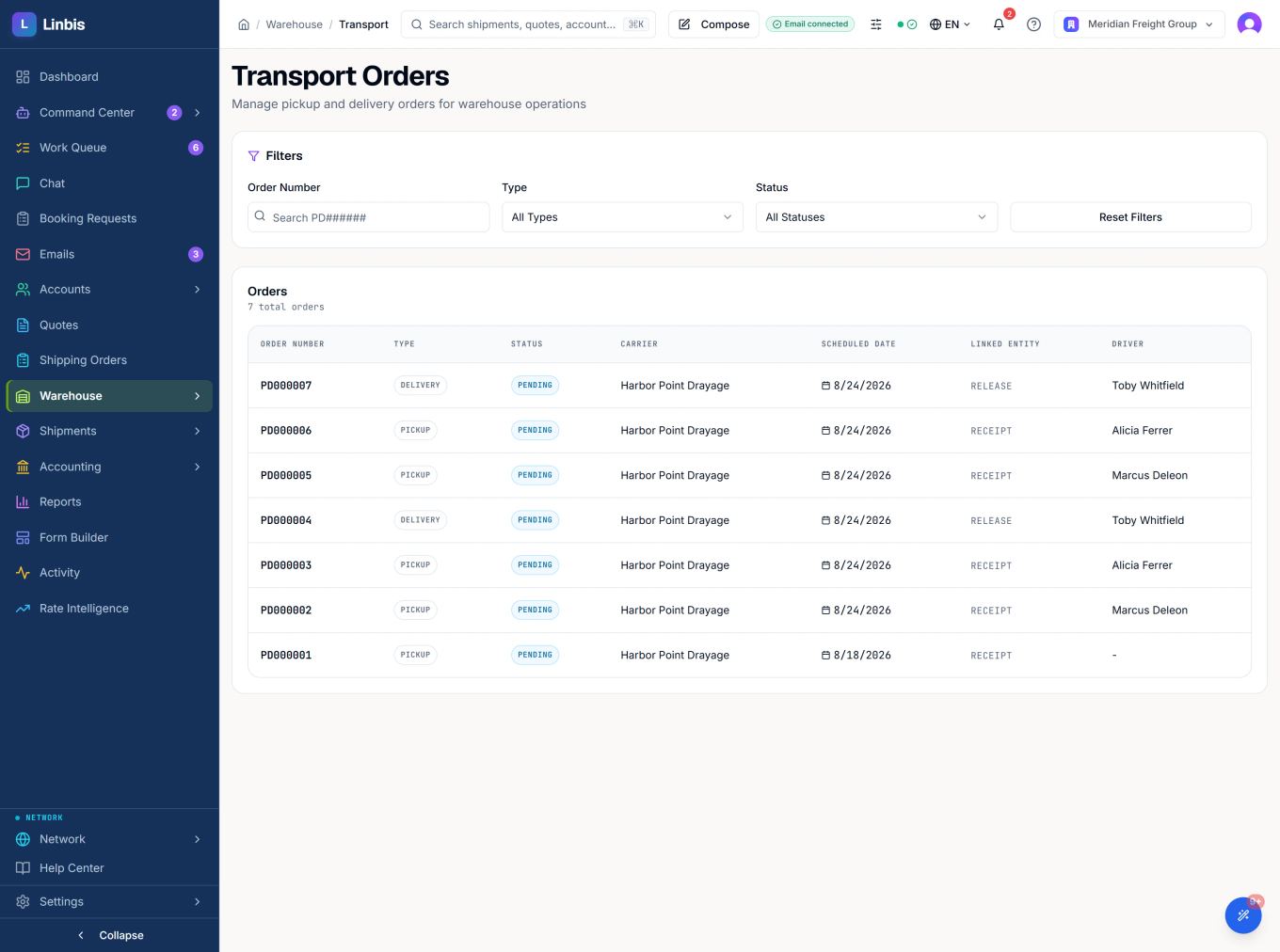
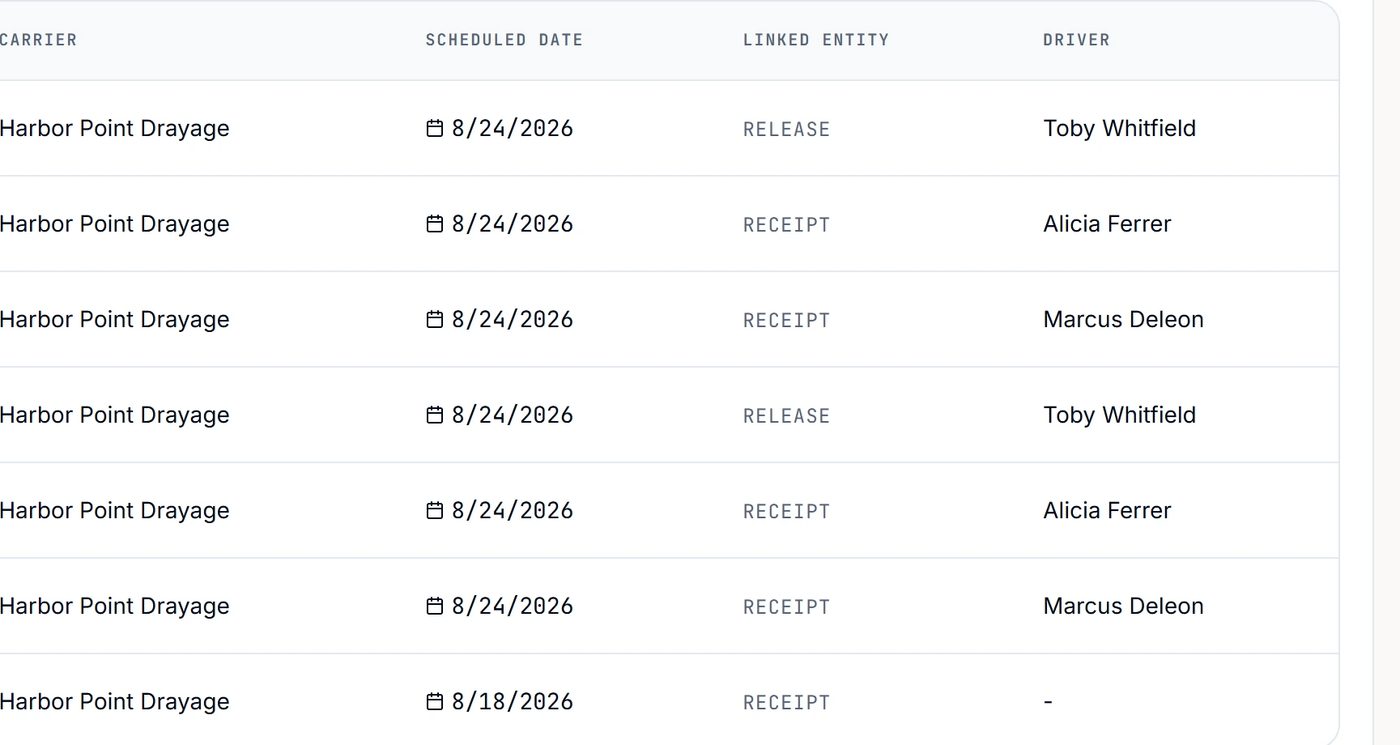
Every drayage move names the receipt or release that caused it. No orphan trips, no mystery moves.
The document that caused the movement rides on the movement.
It doesn’t score the file. It names the fields — three required ones, on this shipment — standing between the cargo and clearance, section by section. The same engine gates a quote before it goes out.
It names the fields. It doesn’t just count them.
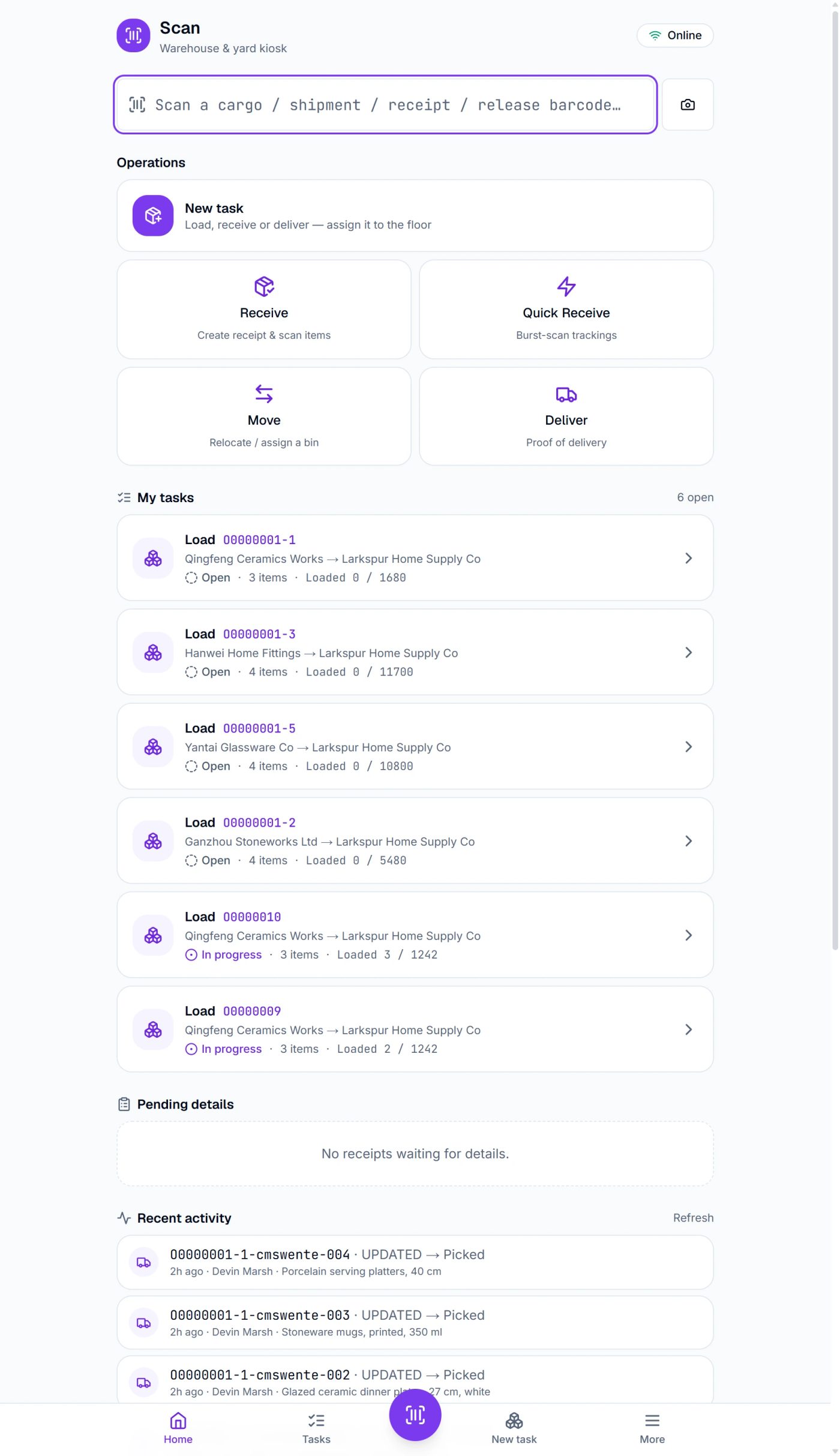 6 load tasksone field sorts them6 load tasks · one field
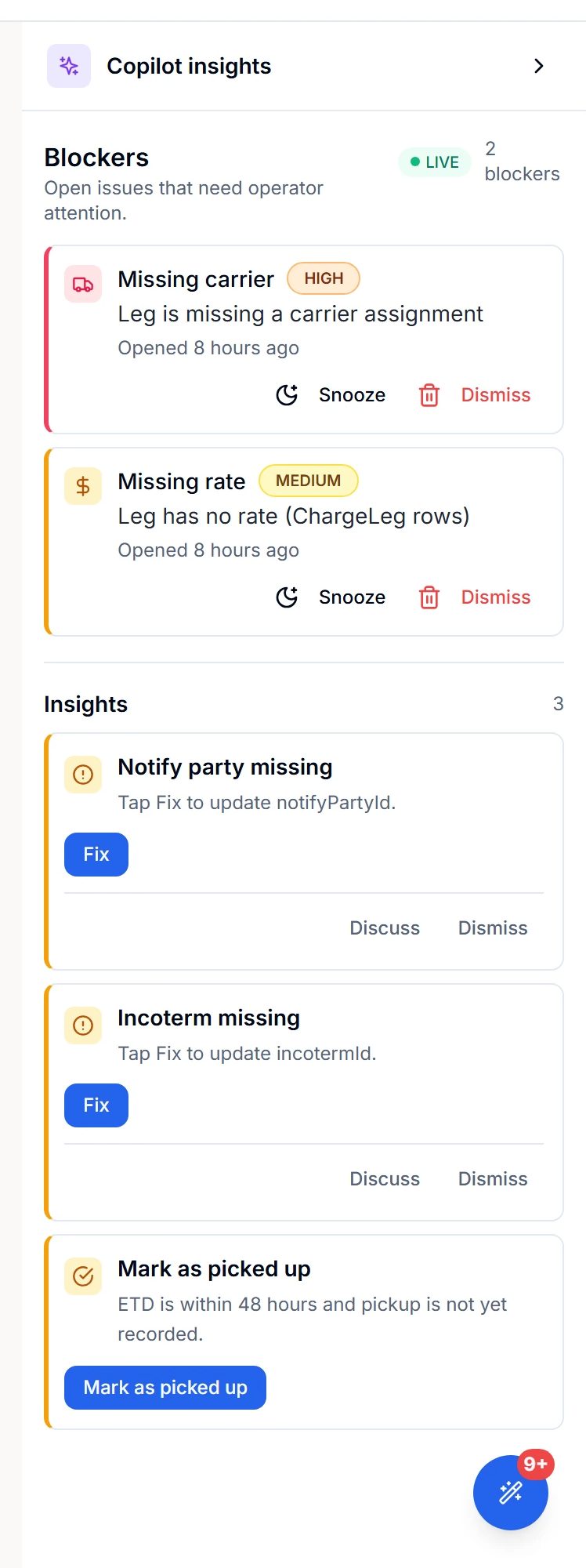 2 blockerslive on this file2 blockers live
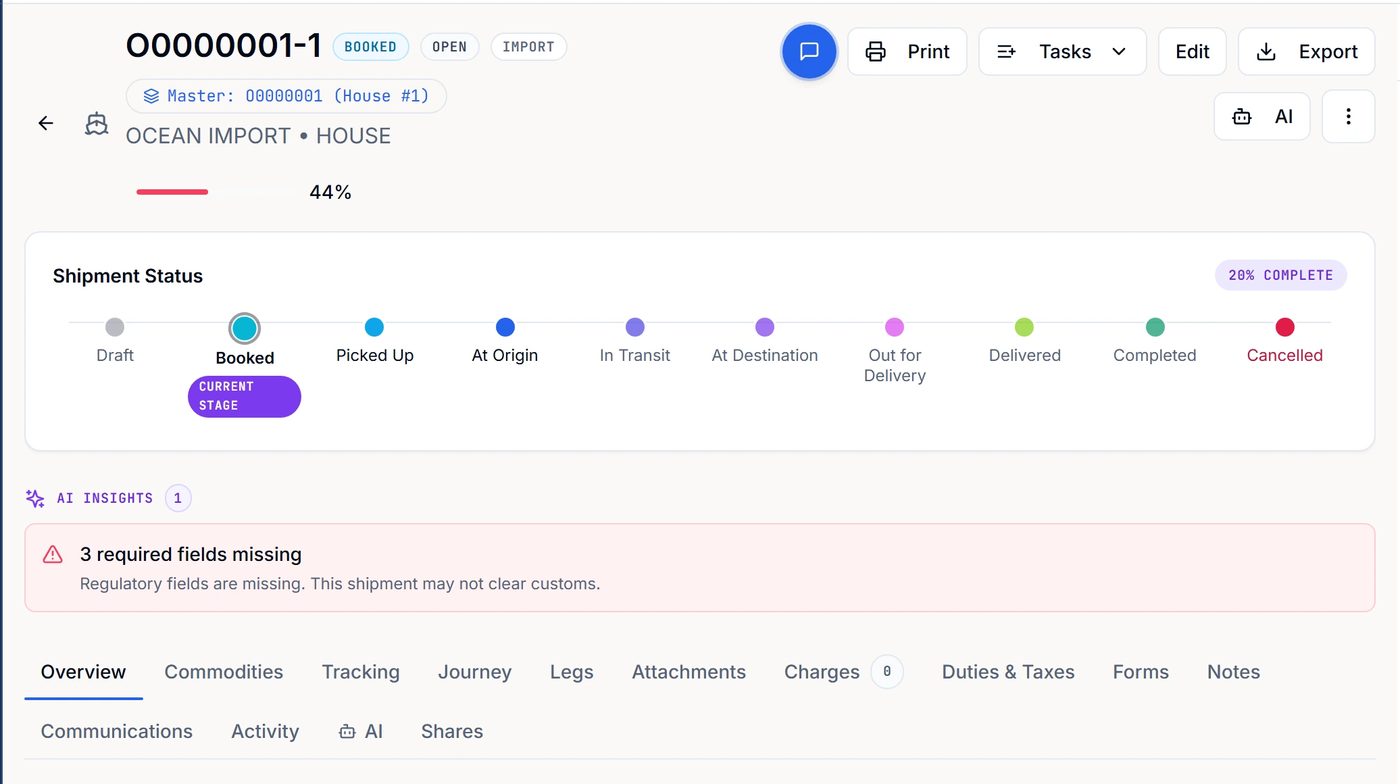 3 required fieldsnamed, not just counted
Every number below is on screen in a frame above
One record · not five systems
Logistics software is the whole operation on one system — the cargo, the floor it sits on, the money it earns, the paper it needs, and the customer asking where it is. The test is not how long the module list is. It is how much of that sits on one record, and how much you re-key into a second system before you go home.
Linbis keeps it on the record. One shipment record carries air, ocean, ground and multimodal, import through cross-trade, on stage flows your own admins design. The warehouse receipt and the release that touch its cargo are records in the same workspace, and the scan gun on the floor keeps working when the signal drops. And one AI layer reads across all of it: inbound email sorted into 24 classifications, and 35 action categories you set to one of four autonomy levels — nothing acts on its own until you raise one.
Every row above is a screen you can open in the product. The receipt that put the cargo on the floor is the receipt the pickup order names, and the row your customer opens in the portal.
For growing and multi-team operations
As the team and the volume grow, the controls that matter are already in the product, and your own admins set them up.
A 79-permission role grid, plus a per-role or per-person switch that hides costs, buy rates and margin.
Every company designs its own workflow: 24 shipment flows (six transport modes × import, export, domestic and cross-trade) plus flows for warehouse receipts, releases, quotes, shipping orders and sales opportunities, with seven kinds of automatic action when a file enters a stage.
Import up to 500 shipping orders from a spreadsheet and convert them all into house shipments under one master in a single action. Change the vessel, voyage, flight, ETD or ETA on the master and every house underneath follows.
Income and expense sit on the same charge line, each in its own currency, with the profit stored on the line. A 91-account freight chart of accounts is set up when the workspace is created.
Inbound email is sorted into 24 classifications, and 35 kinds of action each sit at one of four autonomy levels you choose. Nothing acts on its own until you raise it.
Every screen of the app exists in English and Spanish, and each user picks their own language: teams in different countries work in the same system, each in theirs.
Before you ask for a demo
Software that runs a forwarder’s whole operation — quotes, shipments, master and house consolidations, warehouse, documents and invoicing on one record. Linbis adds an AI copilot that reads what arrives, proposes the next action, and never writes to your operating data without a person approving it.
Linbis ships with bulk importers for shipments, accounts, orders and warehouse receipts, so your operating history comes across in files rather than by re-keying. Start the trial with one live shipment alongside your current system — nothing forces a cutover on day one.
Plans are published on the pricing page — no demo call required to see a number. The trial is free and doesn’t ask for a card.
No. @Linbis drafts the answer and the customer email, cites its sources, and stops at a send gate — nothing goes out until a human presses Send and confirms.
It reads the records and email already in your Linbis workspace to classify, extract, draft and propose. It cannot send email or change your operating data on its own — every write ends in a card a person approves or rejects.
No. The 46 ocean documents — 34 more for air — are live views of the shipment record. The bill of lading takes its letterhead from settings, the vessel and voyage from the leg, the measurements from the commodity lines and the totals from the charges. Change any input and the document changes.
Per line. Each commodity line is estimated on its own HS code — in the example on this page, three ceramic codes at 4.50%, 9.80% and 20.80% came to $2,185.68 of duty on $20,640 of goods — with the CIF basis, disbursement fees and billing treatment stated explicitly.
Five houses under one master, each with its own house bill, created in one grouping action, with field changes on the master propagating down to the house legs.
Test five things on a live shipment. Are the documents live views of the record, or templates you fix by hand? Is landed cost estimated per line, with the basis stated, or a blended guess? Does the AI draft and cite its sources while a person keeps the Send button? Is pricing published, or hidden behind a sales call? Can you trial it without a card, beside your current system? Linbis is built to pass exactly these tests — this page shows each one on real screens.
Free trial, no card. Run one live shipment beside your current system — or book a demo and we’ll run your own lane.
Every screen on this page is the real product, captured August 2026. Identities are aliased. Nothing is a mock-up.